
Supporting Medical Carts for Healthcare Projects
Medical computer carts support Bayint health screening and telemedicine installations when a mobile workstation is required. Start with your health kiosk project, then confirm the cart, mounting and power options. View the M100 supporting cart →
Supporting Cart and Workstation Options

Digital Medical Carts
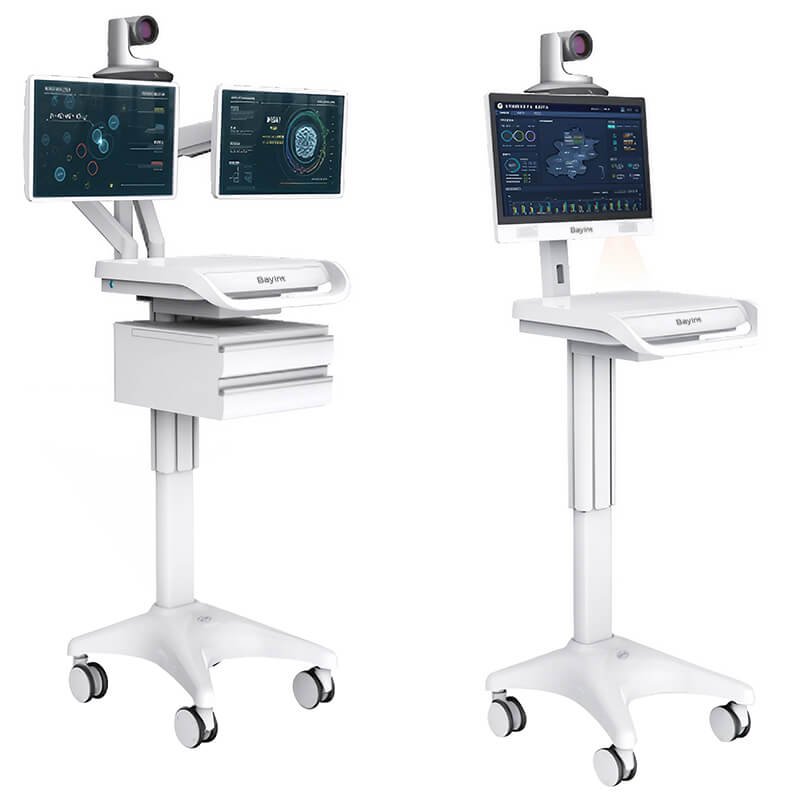
Telemedicine Workstations

Medical Device Trolleys

Medical All-in-One Computers

Custom Medical Carts
Choose a Cart for Your Clinical Workflow
Documents for Your Selected Model
Request the specifications and applicable compliance documents for the exact cart and installed equipment. Requirements depend on the intended use and destination market.
Equipment & Mounting
Check monitor dimensions, device weight and mounting interfaces. Confirm load limits for the work surface and each accessory mount separately.
Power to Match Your Workload
Battery capacity and runtime depend on the selected power system, computer and connected equipment. Confirm operating time using the intended workload.
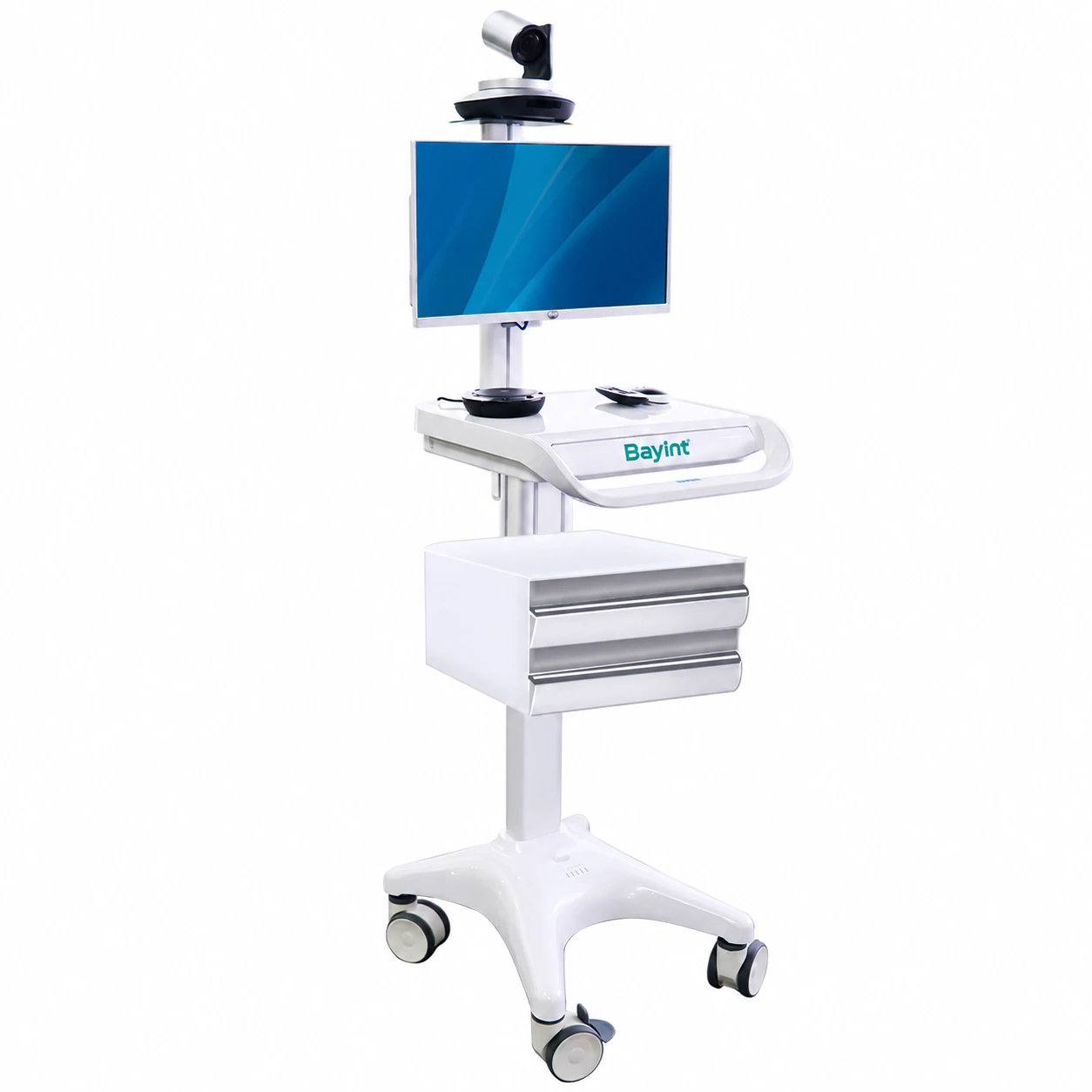
Standard & Optional Equipment
Choose the base cart first. For the M100, drawers, computer, camera, audio equipment and battery are optional; confirm them in the final configuration.
Electric Height Adjustment
The M100 provides electric lift for seated and standing workflows. Confirm the work-surface and monitor adjustment ranges for the model you select.
Cleaning & Daily Movement
Review surface materials, caster and brake options, cleaning instructions and the space needed to move the cart between work areas.
Model Documents
Review the selected configuration
OEM / ODM
Branding and project options
Mounting Options
Match your devices
Optional Battery
Runtime depends on workload
Computer Options
Confirm the selected hardware
Daily Use
Review materials and cleaning
Configure Supporting Equipment for Your Kiosk Project
On bayint.com, medical computer carts are supporting equipment for health screening and telemedicine projects. Review the required computer, devices, mounting, storage and power alongside the main kiosk installation.
Confirm the selected cart model, included components, optional equipment and support terms in your quotation.
Support Terms
Confirm the warranty and service scope in your quotation.
Setup Planning
Check assembly, training and maintenance requirements.
Clear Configuration
Review the specifications and relevant model documents.
Plan Your Medical Cart Configuration
Compare the cart and installed equipment as one working setup. These three checks help you prepare a useful enquiry and review the quotation.

List the computer, monitor, medical device and accessories you plan to mount. Include dimensions, weight and mounting drawings where available. This helps define the cart and attachment requirements.
Equipment Fit
Devices, weight & mounting

Describe where the cart will be used and cleaned. Check doorway clearance, storage space, seated and standing tasks, and the recommended cleaning procedure for the selected materials.
Daily Workflow
Space, movement & cleaning

Tell us the power demand, network and software requirements. Your IT team should review authentication, encryption and device management on the installed computer and applications.
Power & IT
Runtime, network & software
Custom Medical Carts for Your Equipment
Discuss mounting and layout options for equipment such as ECG devices, patient monitors and ventilators. The images show configuration ideas; confirm the final model, device compatibility and included accessories in your quotation.
For an OEM or ODM project, share the device drawings, required quantity, branding and destination market. We can then review the design scope and the documents needed for your selected configuration.


Medical Computer Cart FAQs
What is a medical computer cart?
A medical computer cart is a mobile workstation that carries a computer, display and selected accessories. It can support tasks such as clinical documentation, bedside record access or telemedicine. Its functions depend on the installed equipment and software.
Which Bayint cart should I start with?
Start with the M100 if you need an electric height-adjustable medical computer cart. For another workstation or device trolley, share your equipment and workflow so we can review a suitable configuration. See the M100 product page for its specifications and options.
Are computers, drawers and cameras included?
For the M100, the computer, drawers, camera, audio equipment and battery are optional. Confirm every included component and accessory in the quotation. Other cart models may use different configurations.
How long can a battery-powered cart operate?
Runtime depends on battery configuration, connected equipment, power consumption and use. An optional M100 battery configuration can support up to 24 hours under suitable equipment loads and operating conditions. Confirm the expected runtime for your selected setup; this is not a runtime promise for every cart.
Can the work surface and monitor be adjusted?
The M100 has electric height adjustment. Work-surface height and monitor travel are separate specifications, so check both for the selected model. Do not add the two ranges together as one work-surface travel figure.
Can a cart support dual monitors or medical devices?
Mounting options depend on the cart, arm, display size and equipment weight. Share the dimensions, mounting interface and load for each item. The final configuration must meet the limits of the base cart and each attachment.
How should the cart be cleaned?
Follow the cleaning instructions for the selected cart, computer and mounted devices. Confirm compatible cleaning agents and contact times before use. Material or surface claims should be checked against the relevant model documents.
What can be customized for an OEM or ODM project?
The scope may include mounting, storage layout, selected materials or finishes, power options and branding. Share your drawings, quantity and intended market. Available changes and required documentation depend on the project.
Does the cart provide patient-data security?
The physical cart does not provide all patient-data security controls. Authentication, encryption, remote management and access permissions depend on the installed computer, operating system, applications and network. Your IT team should confirm these requirements.
What warranty, order quantity and lead time apply?
Warranty, order quantity, lead time and support depend on the model, configuration and order. Ask for the current terms in your quotation. For a custom project, confirm the design and production schedule before ordering.
What information is needed for a cart quotation?
Send the intended use, preferred model, device dimensions and weight, mounting needs, power and battery requirements, quantity and delivery country. Include any required compliance documents or branding details. Email deby@bayint.com or use the enquiry form below.
Request a Medical Cart Configuration
Tell us your workflow, equipment, quantity and destination. We will help you review the model and options.
deby@bayint.com · +86 18565771898