
M600A health checkup kiosk station for self-service screening
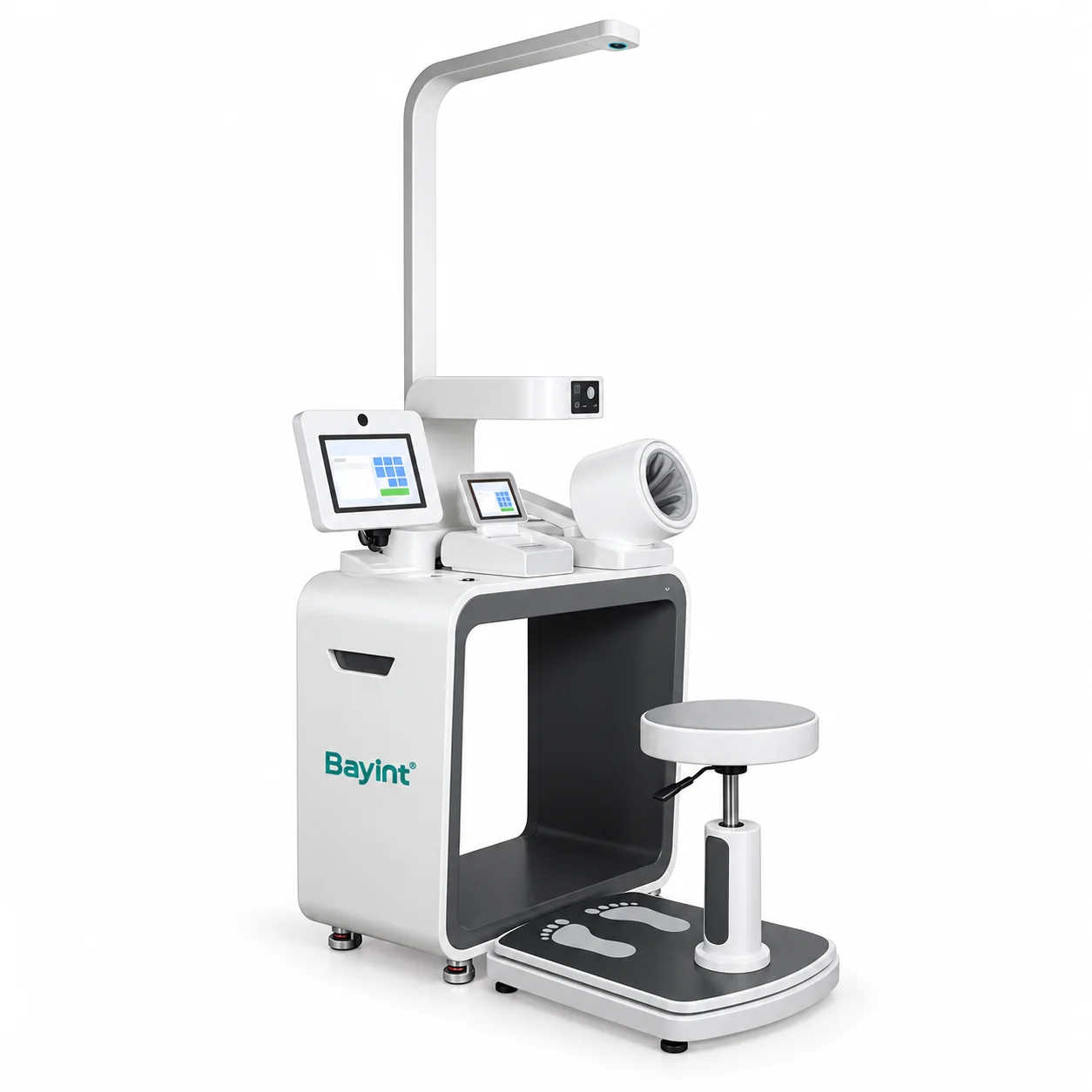
The Bayint M600A health checkup kiosk station brings routine measurements, guided touchscreen operation and printed results together in one compact unit. It helps hospitals, clinics and health screening centers organize self-service checks before a consultation or as part of an ongoing wellness program.
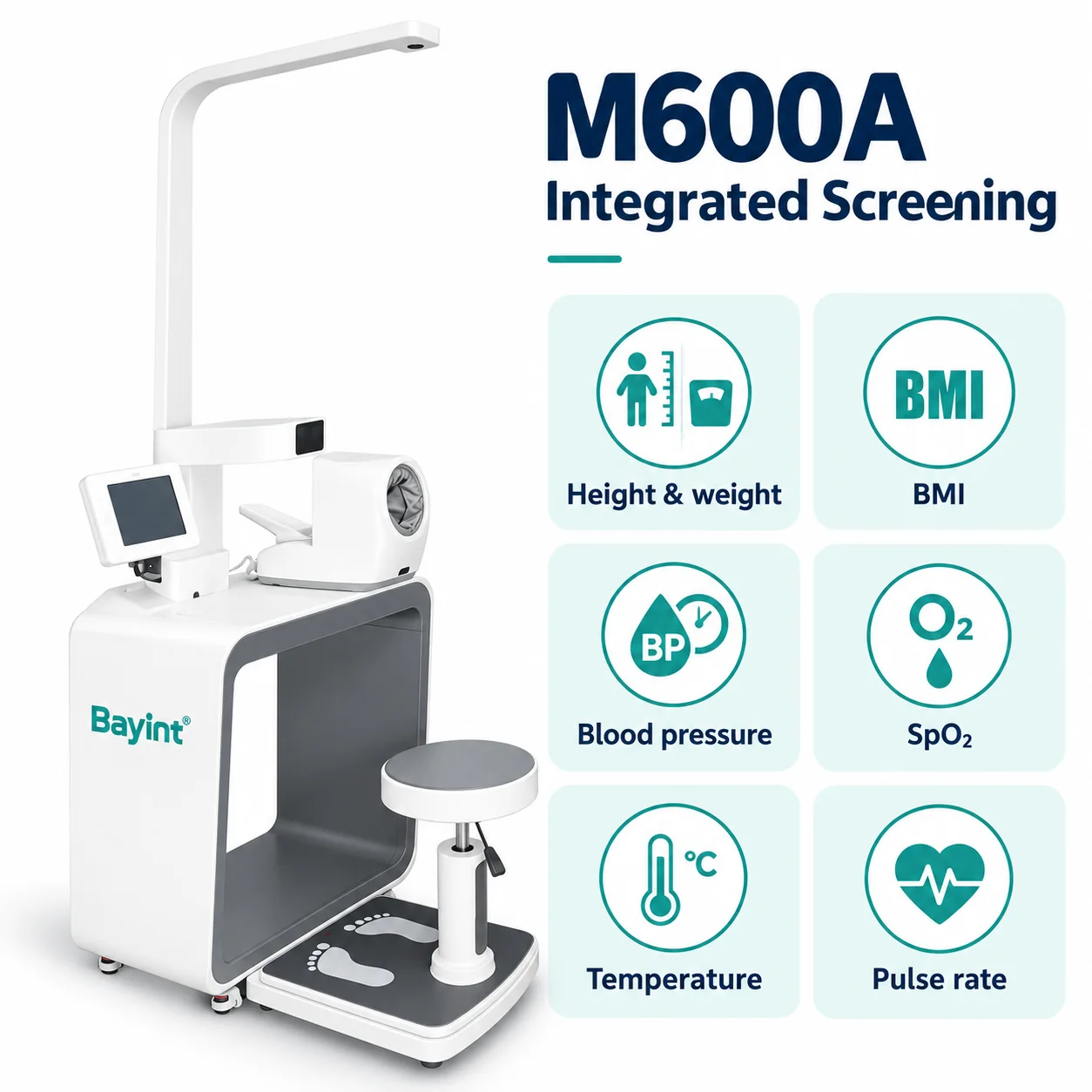
Users can follow the on-screen instructions to collect height, weight, BMI, blood pressure, pulse, SpO₂ and temperature results. Body composition and blood glucose measurements can be included in the selected equipment package. Confirm the exact modules and workflow with Bayint.
Guided self-service
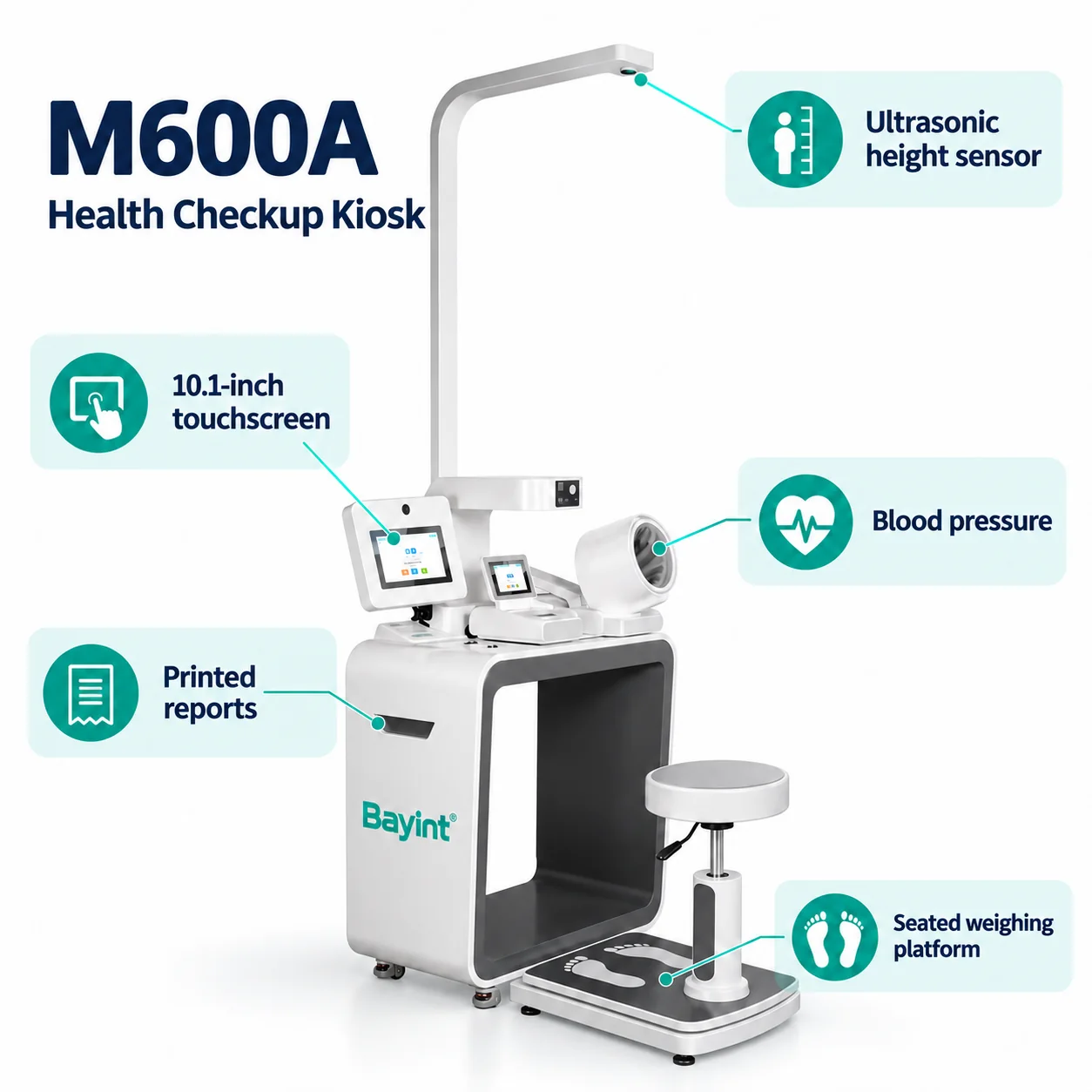
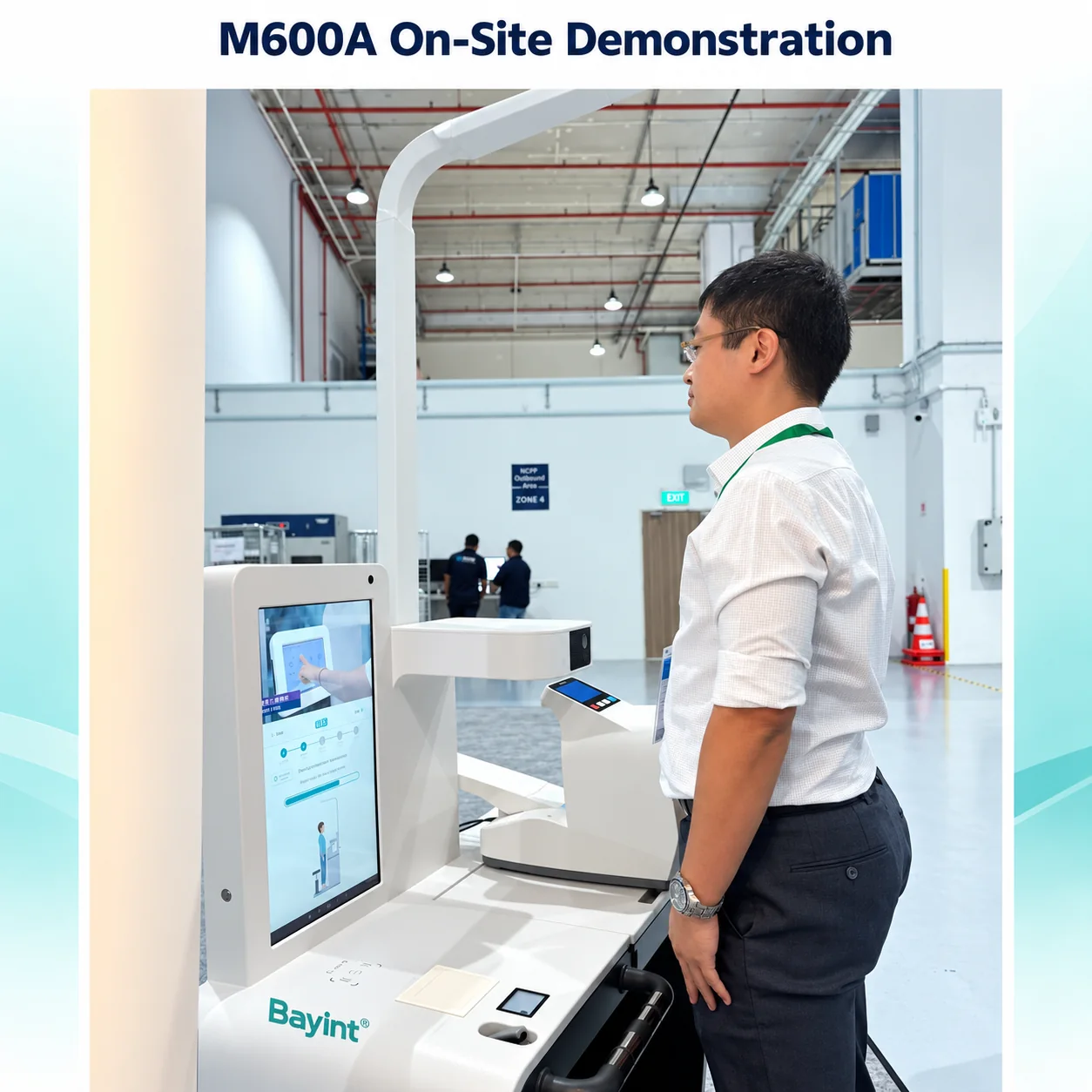
Clear touchscreen instructions help users move through the selected checks and review their results.
Seated or standing weighing
An integrated seat and weighing platform offer flexibility for different measurement workflows.
Reports for follow-up
Print screening results and discuss connected records with your clinic or wellness team.
Practical features for everyday health screening
Integrated vital signs screening
Bring commonly used measurements into one station. The blood pressure module displays systolic pressure, diastolic pressure and pulse, while additional sensors support SpO₂ and temperature checks.
10.1-inch rotating touchscreen
The 360-degree rotating color LCD touchscreen provides a flexible viewing position and an easy-to-follow interface for measurement instructions and results.
Printed reports
The built-in thermal printer produces a screening summary for users and healthcare teams. Confirm report layout, language and any clinic branding requirements before deployment.
Designed for installation flexibility
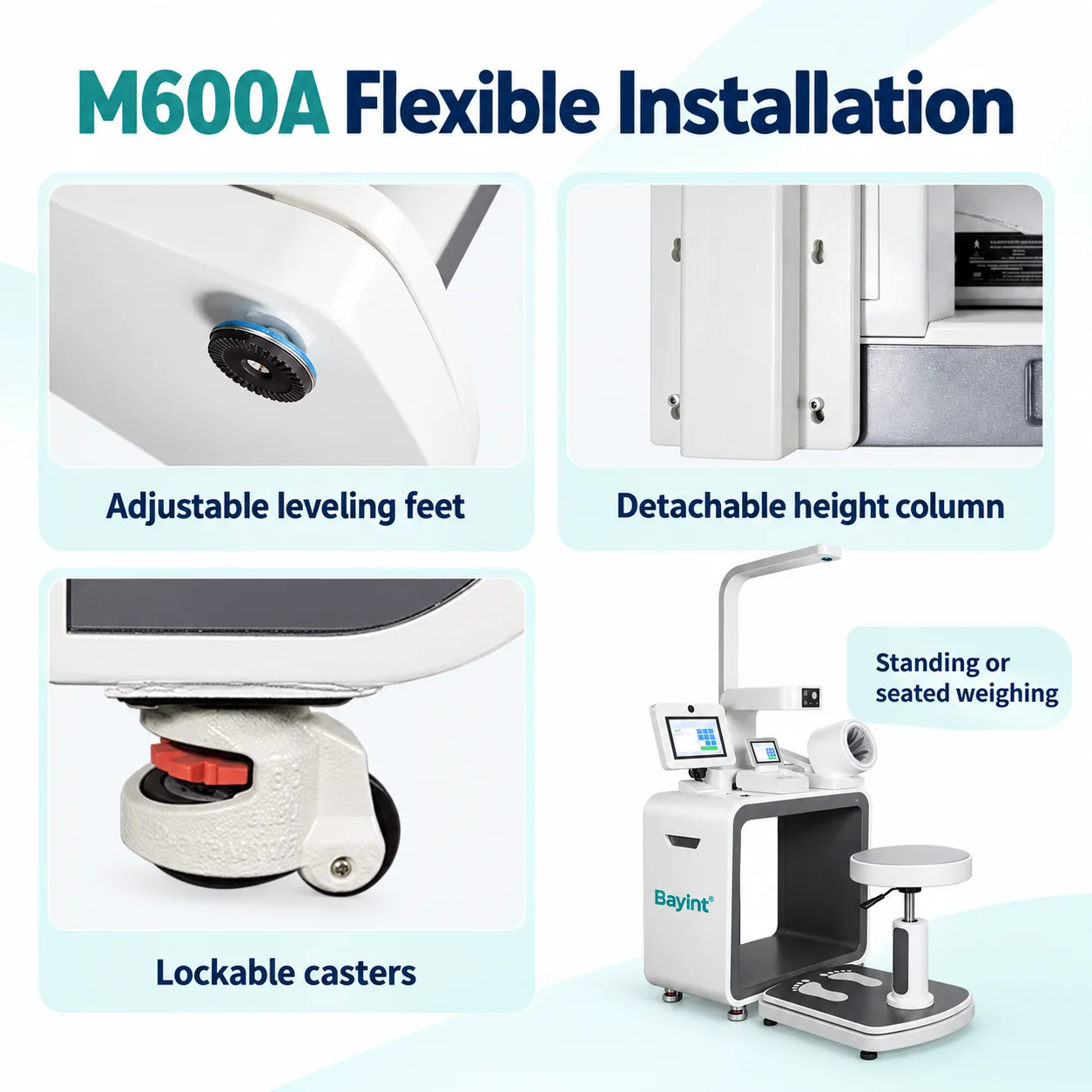
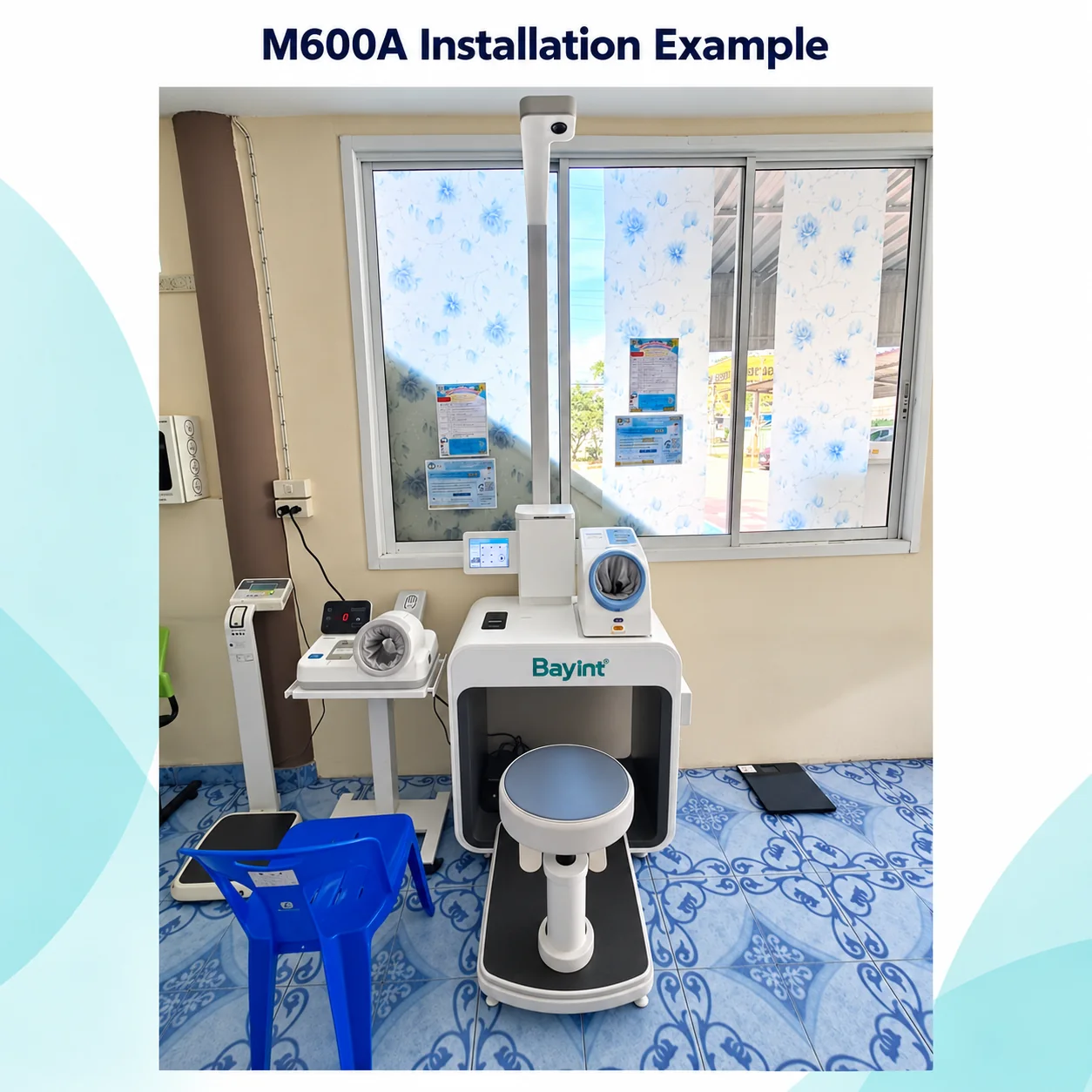
Casters help with positioning, adjustable feet help level the unit, and the detachable height column simplifies installation. The seat height can be adjusted to suit the measurement setup.
A rapid workflow can complete selected core checks in around one minute. Total time depends on the selected tests, user preparation and configuration; additional tests such as blood glucose require their own procedure.
M600A configuration and specifications
| Item | Specification |
|---|---|
| Product model | M600A |
| Display | 10.1-inch color LCD touchscreen; 360-degree rotation |
| Height measurement | Ultrasonic; 90–200 cm; accuracy ±0.5 cm |
| Weight measurement | 5–200 kg; accuracy ±0.1 kg |
| BMI | Automatically calculated from height and weight |
| Blood pressure | Oscillometric method; systolic / diastolic pressure and pulse |
| SpO₂ | 70–100%; accuracy ±2% |
| Temperature | Contactless infrared; accuracy ±0.3 °C |
| Weighing workflow | Standing or seated |
| Printer | Built-in thermal printer |
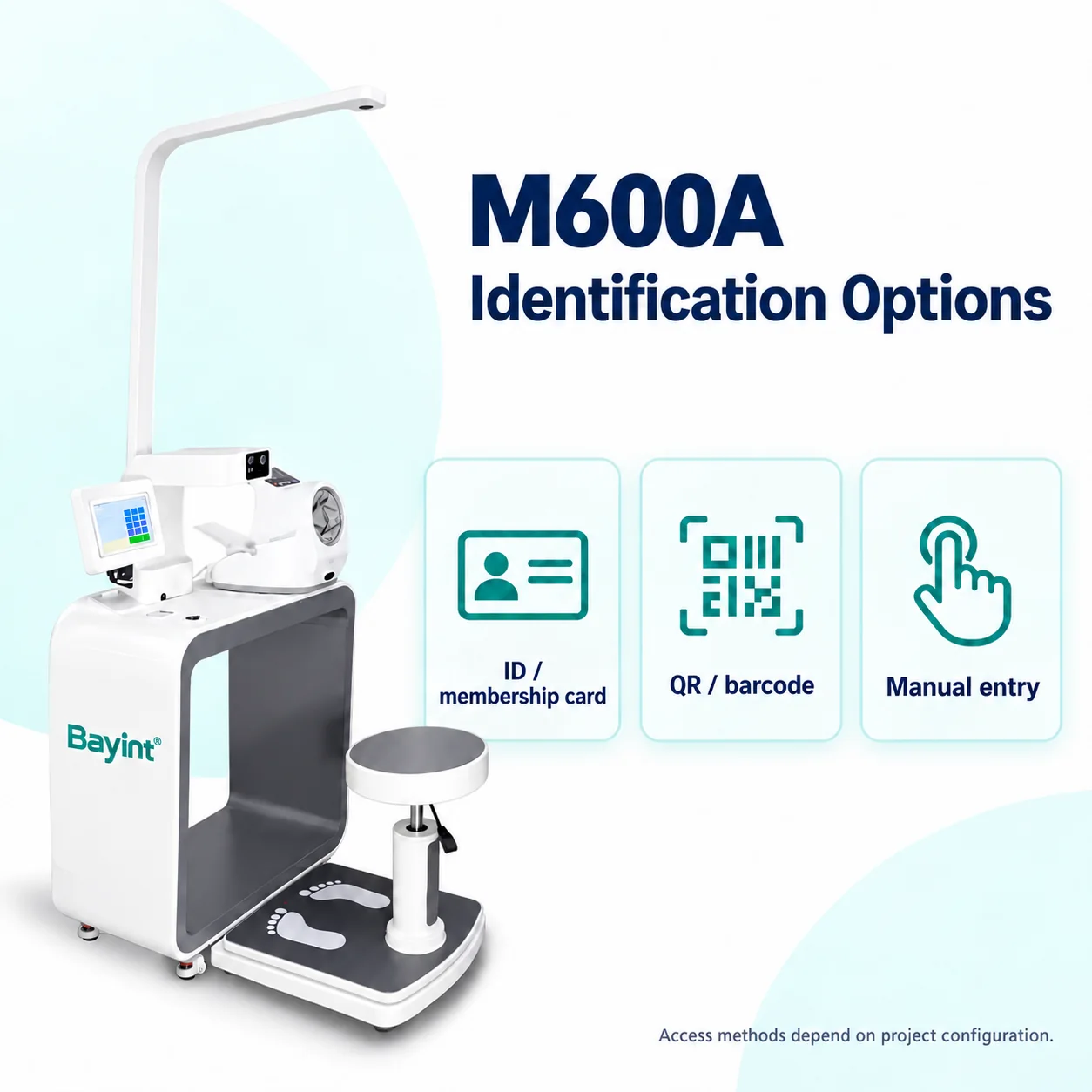
| Identification options | QR / barcode, ID / membership card and manual entry; depends on project setup |
| Data connections | Wi-Fi / LAN / USB; RS232 and Bluetooth-adapter transfer subject to the selected configuration |
| Power supply | 110–240 V AC |
| Additional functions | Body composition, blood glucose, cloud records and hospital-system integration: confirm the ordered package |
Measurement ranges follow the existing product specification. Screen rotation and transfer options follow the supplied product information. Confirm the final module list, local identification requirements and integration scope in the project quotation.
Identification, health records and system integration
Choose the access method for your project
QR codes, barcodes, ID or membership cards and manual entry support different patient and member workflows. Available readers and card compatibility depend on the configuration and local requirements.
Connect screening results to follow-up
Cloud-enabled records can support review and follow-up when the required software and service are included. Discuss account access, data hosting and your record-management process with Bayint.
Plan integration before deployment
Hospital-system synchronization and data transfer to a PC or Windows tablet can be arranged according to the selected interfaces and software. RS232 and Bluetooth-adapter options require compatibility checks for your target system.
Support telemedicine workflows
Share screening results with healthcare professionals as part of a configured remote-care workflow. Confirm the telemedicine platform, required modules and data connection for your project.
Where can a health screening kiosk be used?
Hospitals & medical clinics
Place a self-service health screening kiosk in an outpatient area or lobby to organize routine measurements before consultation.
Screening & wellness centers
Provide a compact health checkup station for scheduled screening sessions and progress reviews.
Corporate wellness
Offer employees an accessible measurement point as part of a structured workplace wellness program.
Community health centers
Collect routine measurements to support practitioner-led follow-up and preventive health programs.
Telemedicine projects
Connect selected measurements and records to an agreed remote-care workflow.
Distributors & project buyers
Discuss equipment modules, software, language, report format and project pricing with Bayint.
Product information and operating manual
Download the Bayint M600A product brochure for key features, specifications and configuration options.
Download M600A Product Brochure (PDF)
English product brochure · 2 pages · approximately 0.9 MB
For a configuration sheet and project quotation, tell Bayint which measurements, identification methods and system connections your facility needs.
For the product operating manual, please contact your sales representative. Email deby@bayint.com.
Request M600A Product Information
Explore more Bayint medical kiosks for your health screening project.
Frequently asked questions
Which measurements can the M600A provide?
The station supports height, weight, BMI, blood pressure, pulse, SpO₂ and temperature screening. Body composition and blood glucose can be included in the selected package; confirm the exact modules with Bayint.
Can users operate the kiosk independently?
The touchscreen guides users through the selected self-service measurements. Follow the operating manual, and arrange assistance where the user or selected test requires it.
Does every check take less than one minute?
The rapid workflow is intended for selected core measurements. Total session time depends on the tests, user preparation and configuration. Blood glucose and other additional tests have their own procedures.
Can the M600A print a report?
Yes. Its built-in thermal printer provides a screening summary. Report language, layout and branding requirements should be confirmed with Bayint.
Can it connect to our hospital or telemedicine system?
Project-specific integration and record transfer can be discussed. Share your platform, required data fields and interface requirements so Bayint can confirm compatibility, software and implementation scope.
How can we obtain pricing and the operating manual?
Email deby@bayint.com with your intended use, measurement modules, quantity and integration requirements for a project quotation. Your Bayint sales representative can also provide the relevant operating manual.